
Go to Android platform Display platforms icon
Go to Android platform Go to Windows platform Go to Mac platform Go to iOS platform
Android Accessibility Suite icon

Android Accessibility Suite

17.1.0.1003738110
4.3 416 reviews
6.8 M downloads
security security

App to help people with visual impairments

Advertisement
Remove ads and more with Turbo
Advertisement
Remove ads and more with Turbo
Andrés López icon
Reviewed by
Andrés López
Content Editor
Andrés López is part of Uptodown's in-house Editorial Team. Translated by Uptodown Localization Team

Android Accessibility Suite is an official Google app that allows you to unlock a number of features aimed primarily at helping people with visual impairments. Thanks to this accessibility app, these people will be able to use their Android device more comfortably, having the option to activate some features that, by default, are disabled on all Android devices.

How to activate Android Accessibility Suite

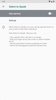
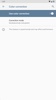
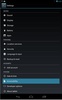
The main thing to keep in mind when using Android Accessibility Suite is that the app does not have an icon on your Android device. To access the app, you will have to open the Settings on your Android device and, from there, look for the Accessibility section. Here you will find all the tools and features available, sometimes dependent on the model of the device you are using. Also note that on some operating systems Accessibility is found under the Additional Options tab.

Advertisement
Remove ads and more with Turbo

Select to Speak

One of Android Accessibility Suite's most useful tools is the well-known Select to Speak. When this function is activated, a button will appear in the lower right corner of the screen. When you press this button, you will be able to hear all the text currently on the device's screen. You can also touch any area of the screen to hear any text in that precise area. This tool is particularly useful for users who have pronounced visual impairments.

Talkback screen reader

Another incredibly useful tool within Android Accessibility Suite is called Talkback. This feature allows you to get direct sound feedback every time you touch the screen. You will be able to hear everything you touch. As a result, you should note that when you use Talkback, the basic interaction for pressing a button changes: instead of a single tap you will need to double-tap. This allows users with severe vision difficulties to touch any element on the screen without fear.

Change the font size and more

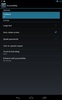
Other interesting features of Android Accessibility Suite allow you to adjust the default font size on your Android device. You can also turn on a magnifying glass to see certain elements better, remove animations, use high-contrast text, activate color correction, or even activate subtitles by default for any sound. All this is available from the app's menu.

The most complete accessibility solution for Android

Download the Android Accessibility Suite APK if you have visual or hearing difficulties, as this app will allow you to minimize some of the constant inconveniences associated with using your devices. The app, which is constantly being developed and adds new features year after year, also takes up very little space in the device's memory and integrates seamlessly with the operating system.

Requirements (Latest version)

  • Android 12L or higher required

Information about Android Accessibility Suite 17.1.0.1003738110

Basic information

Developer Google LLC
Category System
Rating +3
Languages English
47 more

Distribution model

Pricing Free
License Proprietary
Copyright © 2026 Google LLC
Why is this app published on Uptodown? (More information)

Security and privacy

Required permissions
See 24 permissions
Certificate signature 6c0a136a610ab32eafe904d0c33dc9ff
See security and antivirus report

Download info

Downloads 6,835,227
Date Oct 23, 2026
File type XAPK
Size 18.84 MB
SHA256 25dbf91b2573a29df4ac964fe03dd02cc0e453388c2b59196721d3bfe54ba5f1

Technical details

Package Name com.google.android.marvin.talkback
Advertisement
Remove ads and more with Turbo

Older versions

See more
xapk 17.1.0.1003738110 Android + 12L Oct 23, 2026
xapk 17.1.0.983118198 Android + 12L Sep 29, 2026
xapk 17.1.0.983118198 Android + 12L Oct 4, 2026
xapk 17.0.1.926549743 Android + 12L Jun 11, 2026
xapk 17.0.1.926549743 Android + 12L Sep 29, 2026
xapk 17.0.1.911806202 Android + 12L May 15, 2026

Rate this App

Review the app
Android Accessibility Suite icon

Rating

4.3
5
4
3
2
1
416 reviews

Users say

  • Users appreciate the app as excellent and highly recommend it to others
  • The app's accessibility features, including support for Spanish, are praised by users
  • Many users find the app to be very good and deserving of high ratings.
This is an AI-generated summary based upon real user reviews.
Comments

See more
fancypurpleturtle44798 icon
fancypurpleturtle44798
5 months ago

better

Like
Reply
angrywhitesheep11339 icon
angrywhitesheep11339
9 months ago

very good

Like
Reply
slowgreenkingfisher73651 icon
slowgreenkingfisher73651
12 months ago

The app is very good

Like
Reply
fancyyellowlime31994 icon
fancyyellowlime31994
in 2025

Android Accessibility Suite

1
Reply
youngorangebear68243 icon
youngorangebear68243
in 2025

hello

2
Reply
bravegoldencat37593 icon
bravegoldencat37593
in 2025

It is a good application.

1
Reply
See more
Advertisement
Remove ads and more with Turbo
Google Assistant icon
Google's virtual assistant
Assistive Touch icon
Quick access to your smartphone's many options
Speech Recognition and Synthesis from Google icon
Dictate messages or transcribe in real time
Voice Access icon
Use your smartphone via voice commands
Samsung text-to-speech engine icon
Voice synthesis for Samsung smartphones
IFTTT icon
Automate recurring tasks and save loads of time
Easy Touch, Home & Back Button icon
Virtual home & back button for intuitive smartphone navigation
EVA Facial Mouse icon
Use your face to navigate your Android device
Google Maps icon
Explore, navigate and discover places near you
Mihon icon
All comics and manga in your pocket
Google Assistant icon
Google's virtual assistant
Google Voice icon
Communicate through this Google service
Bing icon
Make your queries directly in the Microsoft search engine
Wispr Flow icon
A powerful voice-dictation tool
Colorblind Help icon
Recognize colors in real time using your smartphone camera!
모바일 건강보험증 icon
Quickly access your health insurance information
Uptodown App Store icon
All the apps you could ever want on your Android
SHAREit - Connect & Transfer icon
A quick and convenient file transfer app
MT Manager icon
An APK file editor and manager
AABrowser icon
A browser specifically designed for cars
Secure VPN icon
Maintain your privacy and anonymity as you browse
ZArchiver icon
Everything you need to work with compressed files
Gboard icon
The official Google keyboard for Android
Aurora Store icon
An elegant Google Play alternative